
How to Make Two People Take Turns Rapping from Separate Photos
Updated · Published by getairap
To make two people take turns rapping from separate photos, assign one photo to each performer, add a short topic, and review the lyrics before creating a two-voice duet. In getairap, photo 1 goes on the left and photo 2 on the right. The result is a roughly 12-second, 720p vertical video with original lyrics, a beat and AI vocals.
Start in the AI rap duo creator. Public demos and input preparation are free; creating your own video requires sign-in and a paid credit. Check the current prices and introductory eligibility first.
From two photos to a downloadable duet
Prepare one clear photo of each person
Use two separate, front-facing photos of consenting adults. Keep each face visible and unobstructed. Use JPG, PNG or WebP, no more than 10 MB and 24 megapixels per image. The photos do not need the same background or to have been taken together.
Assign the left and right performers
Open the AI rap duo creator and use its two-photo input. Photo 1 supplies the left performer; photo 2 supplies the right performer. Check both previews before continuing. Replace or swap the uploads if the roles are reversed.
Add a short topic and choose a scene
Describe one idea, such as a shared memory or a friendly roast. Include names and a specific detail if they matter. Pick a scene, then review the inputs. In the workbench, preview and edit two LEFT lines, two RIGHT lines and a shared ending, then confirm the text. Signed-in accounts get 5 AI drafts per 24 hours, 30 seconds apart, without video credits. Existing-song uploads are not supported.
Sign in, review the price and generate
Generating your personal video requires sign-in and paid credits. One video credit covers both performers in one successful video. A direct pack purchase only adds video credits. For a complete saved creation, Buy credits & generate continues that same video after confirmed payment. With available credits, confirm generation once and follow the job status. Do not submit again merely because a job is still pending.
Listen for alternating lines, then download
Play the finished video with sound. Check whether the left and right performers take distinct turns, the audible line matches the active mouth, and faces remain recognizable. A shared ending can be intentional. Download the MP4 from the completed result and play the saved file to check its audio.
Compare the reference photos with a sample
This example uses two synthetic adult portraits and the topic “Playful roast for Jay — always late to brunch, still says five more minutes.” in the Practice Room scene. Open either source photo, then play the video with sound to check how the roles carry through into the performance.
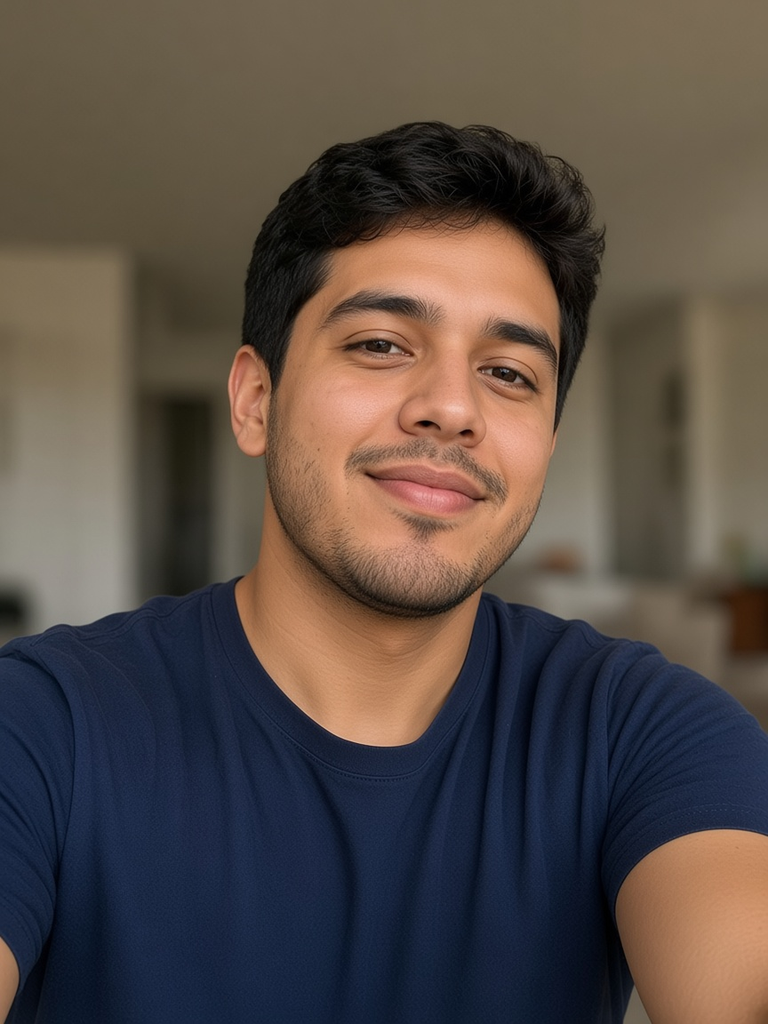
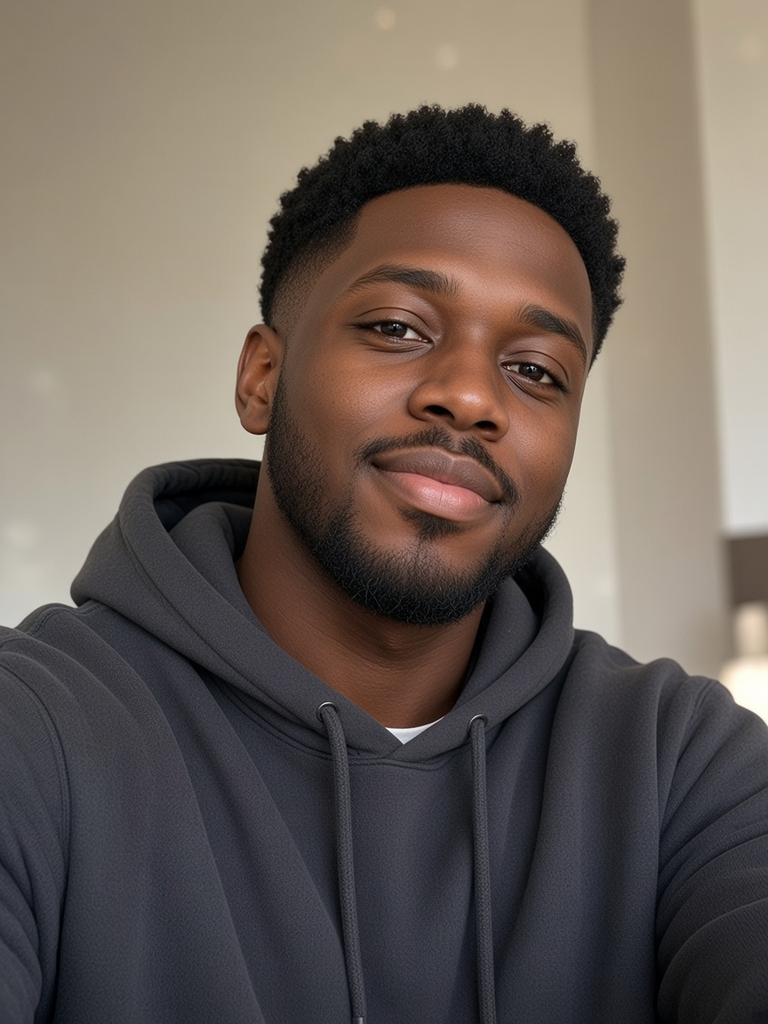
Download the original sample MP4 · View the source and file hashes
Input lyric draft — not a verified transcript
The planned roles below were supplied to the model. They describe the input, not a guarantee that every word or handoff is reproduced exactly in the audio. Listen to the MP4 to judge the result.
LeftJay, brunch at ten — you show at noon.“Five more minutes” — same old tune.
RightMy bad — I hit snooze.Next brunch is on me — you choose.
BothJay pays!
Sample produced on 2026-10-31 with SeeAPI Seedance 2.0, through a direct provider API request with reviewed lyrics and a shot prompt. It is not a recording of the application’s checkout flow or a success-rate test. In the current duo workbench, you can preview, edit and confirm five English lyric lines: two LEFT lines, two RIGHT lines and a shared ending. The confirmed text is saved with the video request; pronunciation and mouth timing can still vary. This historical sample does not demonstrate that current review flow.
How to check whether the people really take turns
- Listen for one person’s line followed by the other’s response. Two faces moving their mouths at the same time does not establish an alternating duet.
- Follow the active mouth during each voice change. Check that the left and right identities stay consistent, including at the handoff.
- Check the full clip. A shared final line can fit the song; a cut between two portraits does not by itself show two people performing together in the same scene.
If the result is not what you expected
For future attempts, try clearer photos and review the five-line lyric draft before confirming it. The model can vary pronunciation, voice and timing, so those changes do not guarantee an exact performance. A new generation uses another credit. For a pending job, wait for its status to resolve; confirmed failed renders return the reserved credit under the refund policy.
Need to preserve an existing song? Read original AI rap versus existing-song lip-sync before choosing a tool. To review and edit an original five-line duet, prepare your two-photo duet.
Questions before you create
Can the two selfies be taken in different places?
Yes. Upload one clear photo of each consenting adult. getairap uses photo 1 for the left performer and photo 2 for the right performer; the photos do not need matching backgrounds.
Does a video with two faces prove that both people take turns?
No. Listen for distinct alternating lines and watch which mouth moves during each line. Two visible faces, simultaneous mouth movement or cuts between portraits do not alone establish turn-taking. Generated timing and likeness can vary.
Can I edit every line or upload my own song in the duo creator?
You can preview, edit and confirm the five English lyric lines before video generation. AI drafts require sign-in and have a limit of 5 per 24 hours, 30 seconds apart; they use no video credits. Existing-song uploads are not supported. The voices are generated, and pronunciation and mouth timing can vary.
What file do I get, and is generation free?
The output is a roughly 12-second, 720p, 9:16 vertical MP4 with audio and no watermark. Public demos are free to watch. Personal generation requires sign-in and paid credits; one successful duo video uses one credit for both people.